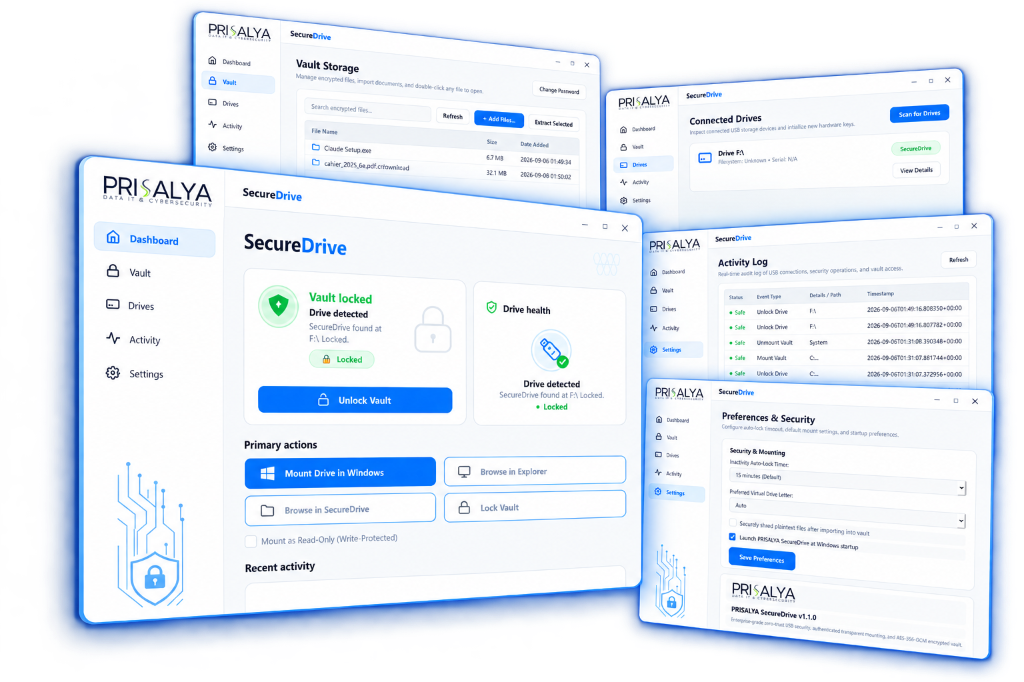
Hardware-Bound Encrypted Vaults for Windows USB Storage
Transform any standard USB flash drive or external disk into a zero-trust hardware-bound encrypted storage device. Features transparent streaming AES-256-GCM encryption and native Windows Explorer drive mounting.
How Prisalya SecureDrive Works
A clean, four-step workflow bridging strong zero-trust cryptography with transparent Windows Explorer file operations.
Connect Any USB Drive
Insert any standard removable USB drive or external SSD. SecureDrive detects connected hardware automatically.
Initialize Vault
Set your master password. Keys are derived via Argon2id with 256 MiB memory hardening and stored in authenticated key headers.
Mount Native Drive
SecureDrive mounts the encrypted vault as a real Windows drive letter (e.g., P:\) with transparent read and write access.
Work in Explorer
Drag, drop, and edit files directly in Windows Explorer. Encryption and decryption occur transparently on-the-fly in memory.
Built for Data Integrity and Usability
Every component is engineered for cryptographic rigor, system stability, and seamless desktop workflow.
AES-256-GCM Encryption
Files and metadata are protected using authenticated AES-256 in Galois/Counter Mode with memory-hardened Argon2id key derivation, resisting brute-force attacks.
Native Windows Drive Mounting
A real Windows drive letter allows all desktop applications (Office, IDEs, media tools) to read and write directly into the encrypted vault without manual extraction.
Instant Password Rotation
Change your master password anytime without re-encrypting existing vault files. The cryptographic envelope re-wraps the master data key instantly.
DoD / NIST Secure Shredding
Optional automated multi-pass erasure (configurable 1 to 7 passes) for original plaintext files upon vault import, ensuring zero unencrypted traces on host disks.
Auto-Lock & Read-Only Mount
Configurable inactivity timers automatically lock and dismount vaults when unattended. Read-only mounting is available for untrusted host workstations.
Activity Audit Trail
A comprehensive real-time audit log tracks USB hardware connections, authentication events, and security operations with precise timestamps.
Clean, Modern Desktop Experience
Designed with Windows 11 Fluent Design principles: intuitive sidebar navigation, responsive cards, and real-time status telemetry.
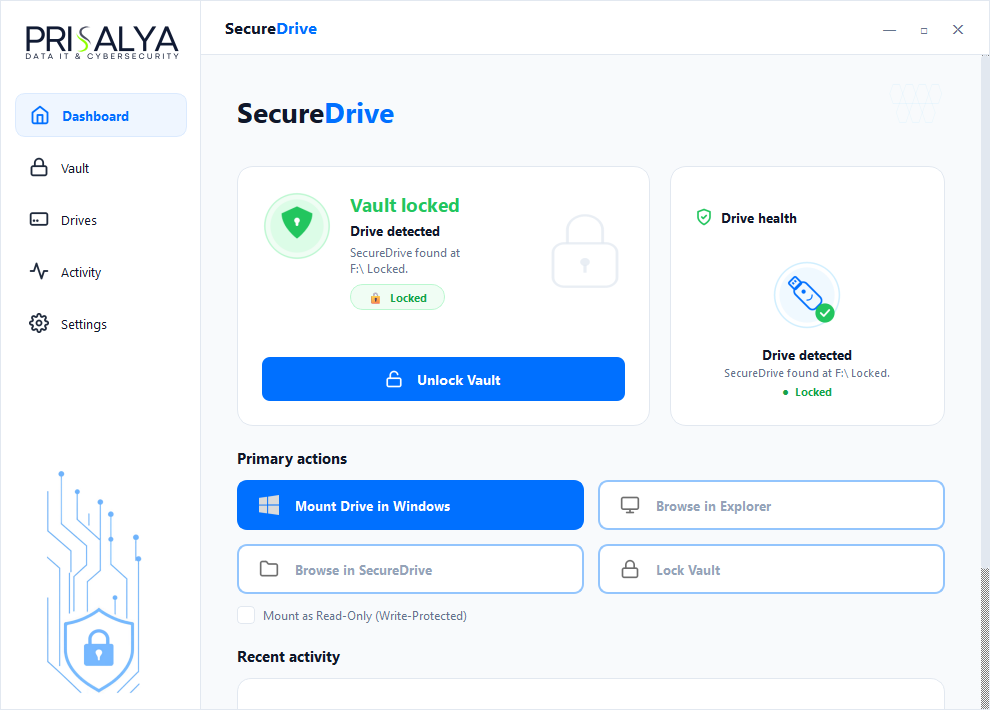
Main Dashboard
One-click mount, unlock, and read-only toggles with live status indicators.
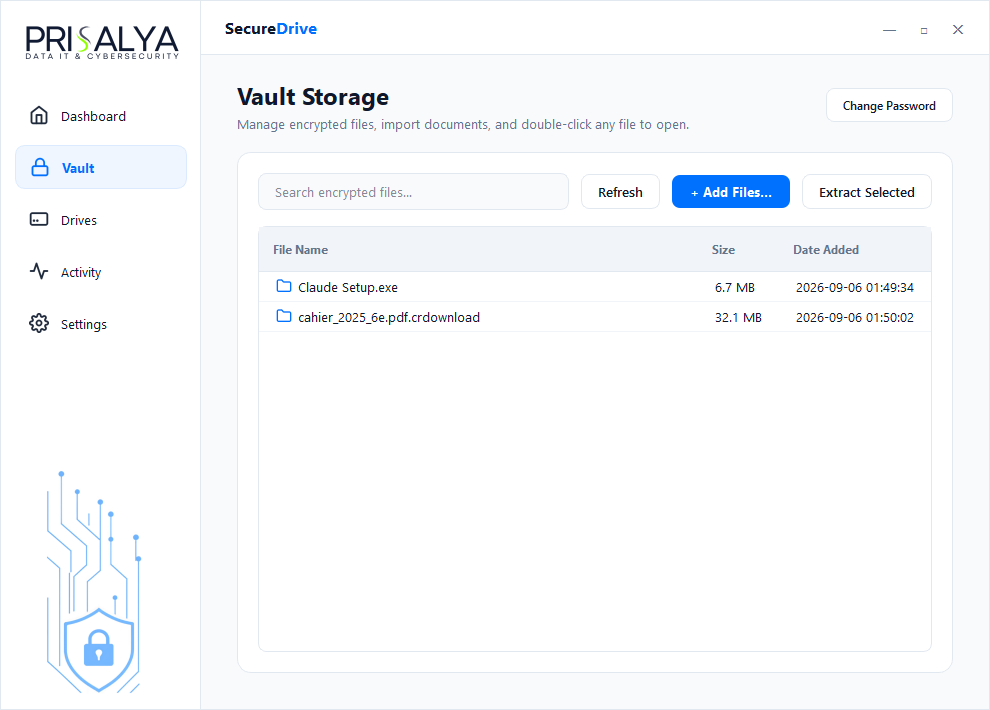
Vault Storage Browser
Integrated file manager with search, batch import/export, and instant password rotation.
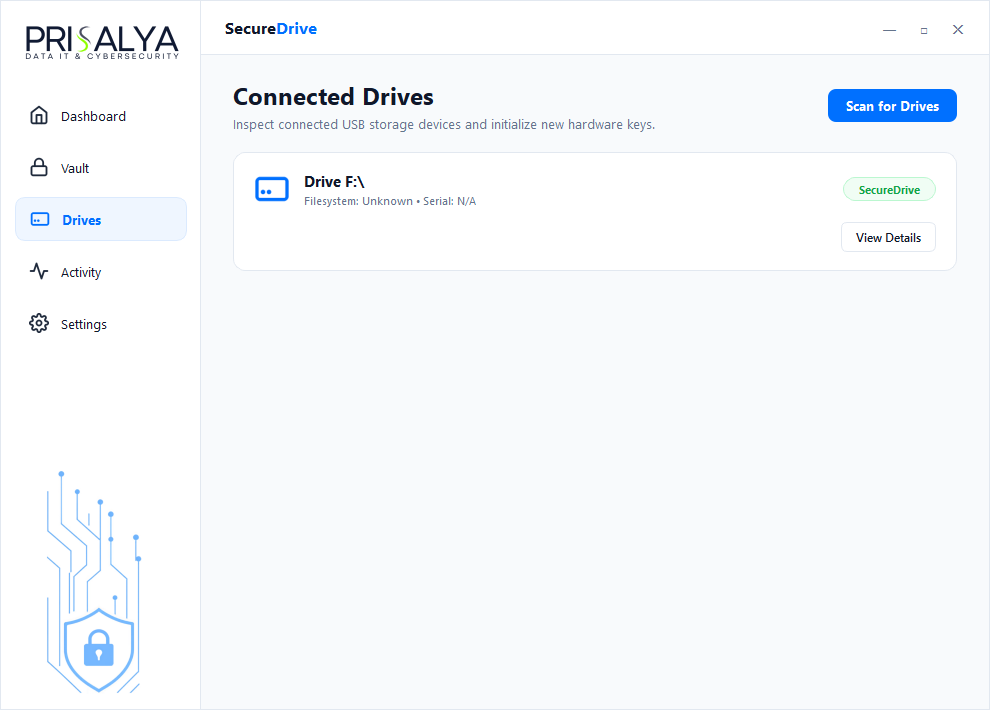
Removable Drives Manager
Scans and reports removable USB hardware, security states, and partition health.
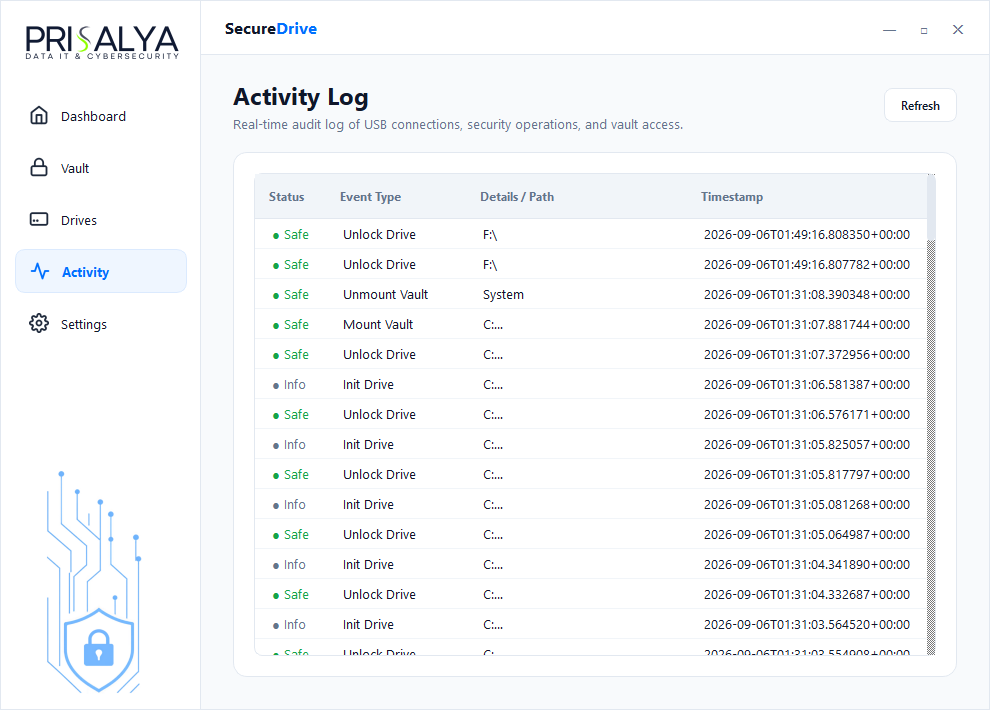
Activity Audit Trail
Comprehensive timestamped audit logging of all mount, unlock, and file transactions.
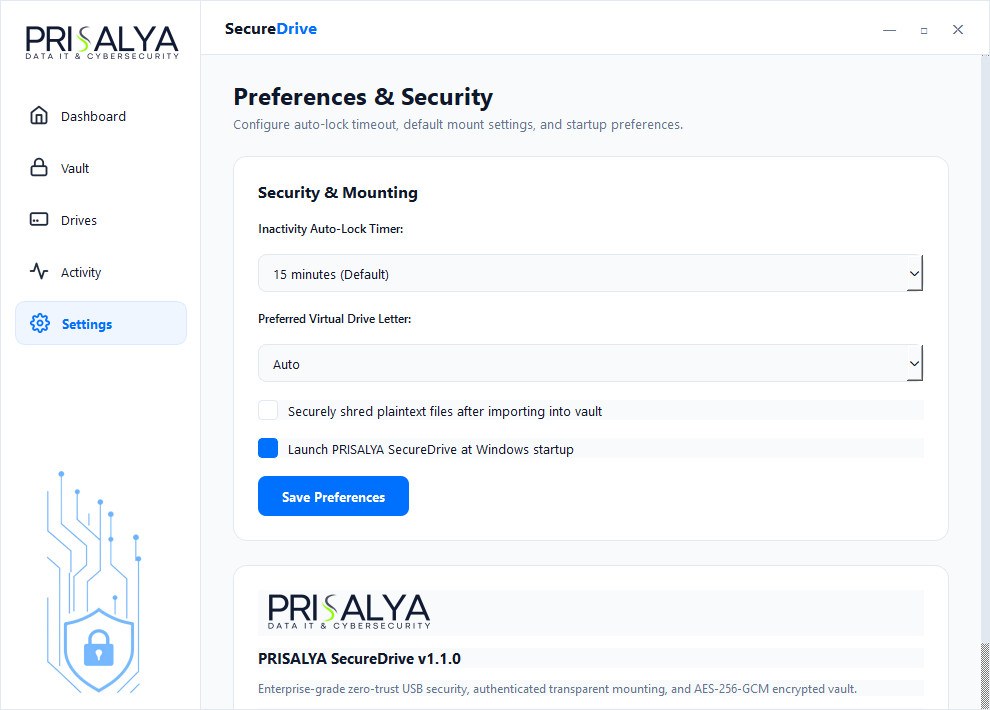
In-App Settings & Auto-Lock
Configure security timeouts, preferred drive letters, and automated erasure passes.
Engineered by Prisalya Consulting
PRISALYA SecureDrive is developed with an uncompromising commitment to cryptographic rigor, operational transparency, and clean software architecture. Part of the Prisalya suite of digital operational security products.
User Feedback & Discussions
Have suggestions, questions, or feedback? Let the engineering team know.